Obscura (Hacked)
v2026.9Requiere iOS 18.0+ · Inicia sesión para comprobar si tu dispositivo vinculado es compatible
Qué está desbloqueado
Última versión
Need Help Installing?
Ensure you have a valid signing certificate installed. If you're using AltStore, open this page in Safari and tap 'Install' to trigger the prompt.
Más sobre Obscura (Hacked)
About Obscura
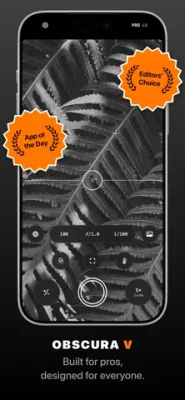
Obscura V is a camera app packed full of features to help you take incredible photos. Obscura pairs a stunning design with intuitive controls that make taking photos a delight.
—
Over its 10+ years on the App Store, Obscura has been featured numerous times around the world, including as Editors’ Choice and App of the Day.
—
Design
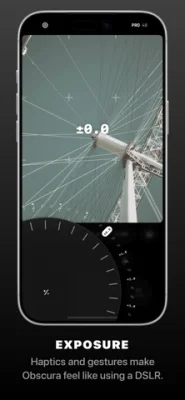
Obscura squeezes a bunch of powerful features into simple controls anyone can master. The interface balances aesthetics, ergonomics, and intuitiveness. You won’t want to use anything else. Controls can be reached with one thumb, and gestures and haptics combine to create a tactile experience that lets you stay focused on your subject.
—
Capture Modes & Formats
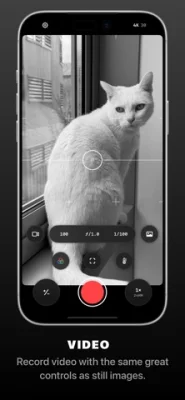
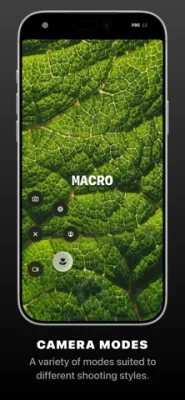
Obscura captures photos, videos, Live Photos, and portraits. Photos can be captured in RAW, ProRAW, HEIC, and JPEG (on supported devices, see http://obscura.camera/compatibility).
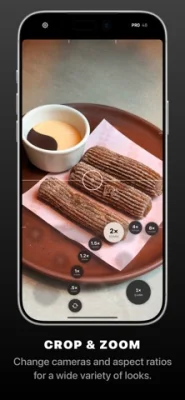
Capture images in multiple different aspect ratios, or apply filters live in camera for a wide variety of styles.
—
Camera Settings
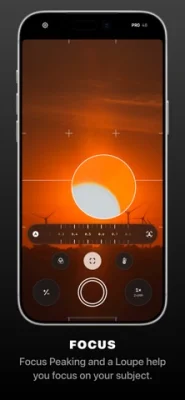
Obscura gives you control over exposure, focus, white balance, ISO, shutter speed, and flash, with intuitive controls that make you feel in control of your device’s camera.
—
Live Filters
Obscura includes a bunch of great filters to give your photos instant style but you can also create your own and use them live in-camera. It’s very cool and very powerful.
—
View Options
Obscura lets you display a grid, a spirit level, a histogram, focus peaking, a focus loupe, and exposure clipping highlights to help you understand every detail of what you’re shooting.
—
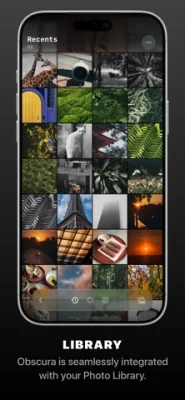
Photo Library
Obscura has its own interface for browsing, rating, editing, and sharing images, but it’s fully integrated with your system photo library, so images captured with Obscura are available everywhere.
—
Obscura Ultra
Obscura is free to use, with an annual subscription for premium features. See http://obscura.camera/ultra for full details.
—
I hope you love using Obscura as much as I’ve loved designing and building it. If you do, please consider subscribing to Ultra, leaving a review, or just sharing with a friend.
All the best,
Ben
————
Privacy Policy: http://obscura.camera/privacy
Terms of use: http://obscura.camera/terms
Calificar la aplicación
Reseñas de usuarios












Aplicaciones populares