ToDo (Hacked)
v8.0.1Nécessite iOS 26.0+ · Connectez-vous pour vérifier si votre appareil associé est compatible
Ce qui est débloqué
Dernière version
Need Help Installing?
Ensure you have a valid signing certificate installed. If you're using AltStore, open this page in Safari and tap 'Install' to trigger the prompt.
En savoir plus sur ToDo (Hacked)
About ToDo
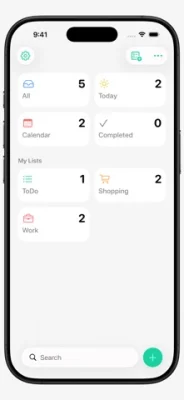
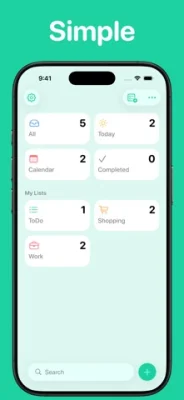
"To Do List" is a reminder app for anyone who wants a simple way to manage shopping, everyday errands, and work tasks. Organize reminders in lists, check due dates on the calendar, and let widgets and notifications remind you what to do.
Built for iPhone, iPad, and Mac, with an interface that feels at home on each device and is intuitive and pleasant to use.
No account required. The free version shows no ads and does no tracking.
● Free features
Organize shopping and packing lists
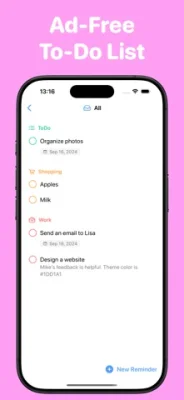
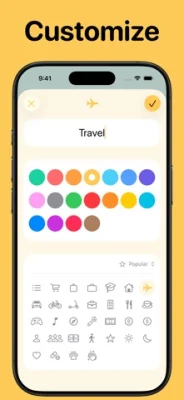
Create a list for each purpose and set its color, icon, and sort order. Check off finished reminders, and see reminders from all your lists together in the Today and All views. Drag and drop reminders to move them to another list.
Manage due dates on the calendar
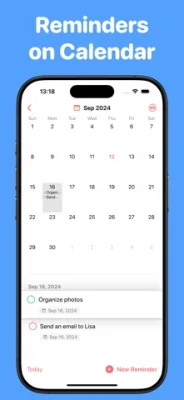
See work deadlines and everyday errands on the in-app calendar. Drag a reminder to another date to change its due date.
See today's reminders in widgets and notifications
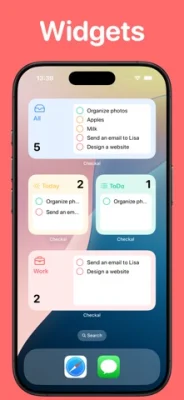
On iPhone and iPad, show today's reminders or a list of your choice in widgets on the Home Screen and Lock Screen. The Up Next widget shows the reminder with the nearest due date, and you can complete reminders right from a widget. Get a notification at the time you set for each reminder. Widgets are also available on Mac.
Add reminders quickly, find them later
Create reminders and open a list with Siri and Shortcuts. On iPhone and iPad, you can also add reminders from Control Center and the Lock Screen. Find your reminders with in-app search and Spotlight.
● Premium features
Premium is available as a monthly or yearly subscription, or as a one-time purchase. It adds the following features:
- iCloud sync: keep lists and reminders in sync across your own iPhone, iPad, and Mac
- Notes: add details to a reminder
- Repeat: set recurring reminders for regular errands
- Calendar detail view: show reminder names on each date
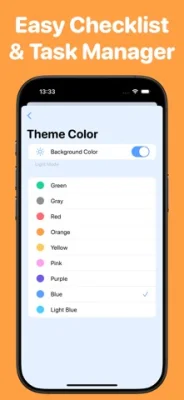
- All themes and app icons
- All list icons
- Alert tones (iPhone and iPad)
Check the app for the latest pricing and features.
Developer: Monelyze Inc.
Terms of Use: https://monelyze.app/en/terms/
Privacy Policy: https://monelyze.app/en/privacy/
Noter l'app
Avis des utilisateurs








Apps populaires