VDIT (Hacked)
v4.4.1Nécessite iOS 16.0+ · Connectez-vous pour vérifier si votre appareil associé est compatible
Ce qui est débloqué
Dernière version
Need Help Installing?
Ensure you have a valid signing certificate installed. If you're using AltStore, open this page in Safari and tap 'Install' to trigger the prompt.
En savoir plus sur VDIT (Hacked)
About VDIT
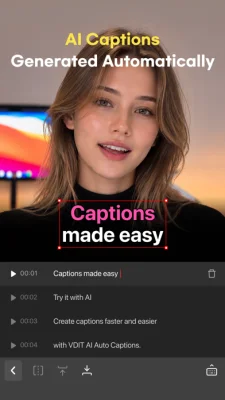
Speak, and VDIT writes your captions.
Then finish the whole video in one app.
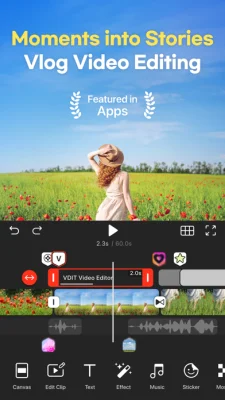
Create Reels, Shorts, vlogs and more, even if you're new to editing. Start with free basic tools. Use templates or AI Auto Cut to shape your video, then fine-tune the captions and music. From Face Blur to split-screen layouts, edit on iPhone and iPad with VDIT.
Edit faster with AI
- Auto Cut selects and edits highlights to match your chosen video length and pace.
- Generate and style captions from speech in videos or voice recordings, processed on your device.
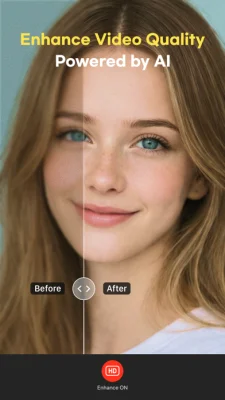
- Enhance video and image clarity with AI.
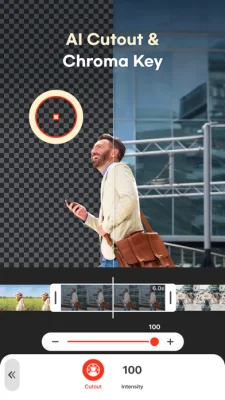
- Remove backgrounds to isolate your subject.
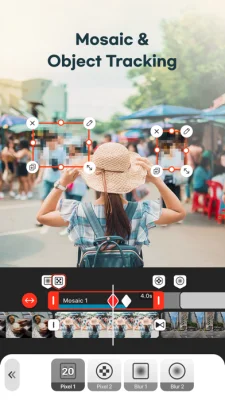
- Object Tracking makes text, stickers and picture-in-picture (PIP) layers follow moving subjects.
- Reduce video and audio noise for clearer visuals and sound.
- On devices that support Apple Intelligence, use Image Playground images in your edits.
Start with templates
- Search for a template in your style, then add your clips.
- Arrange photos and videos together with split-screen layouts.
From basic edits to precise control
- Trim, split, merge, crop, rotate, reorder and reverse clips, or freeze a frame.
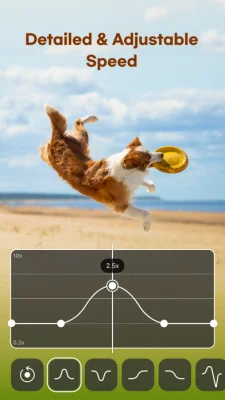
- Fine-tune motion with speed controls, speed curves, transitions, keyframes and stabilization.
- Layer videos and images with PIP, masks, chroma key and blending.
- Set the mood with a library of 160+ filters and effects, imported color presets (LUTs), auto correction, white balance and detailed color adjustments.
Text, stickers and blur
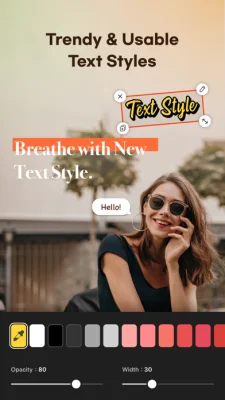
- Choose from 140+ caption/title styles, plus fonts, handwritten looks and text animations.
- Style selected characters with color, bold, italic, underline or strikethrough.
- Animate stickers and PIP, draw on videos with Live Drawing, and create graphics with shapes and layers.
- Blur faces automatically with on-device face detection, blur moving subjects, apply blur effects, or blur outside a selected area.
Music and audio
- Use 300+ background music tracks, plus sound effects in commercial projects.
- Import music and audio, record voiceovers or extract audio from videos.
- Create narration with text-to-speech (TTS). Boost audio volume up to 500%.
- Beat Points detects and marks music beats on the timeline so you can align clips and overlays.
- Export audio as M4A, MP3 or WAV at your preferred quality.
Save and share your way
- Choose aspect ratio presets for Reels, Stories, TikTok, Shorts and YouTube.
- Export video, GIFs, images and audio.
- Use carousel export to save selected clips as individual videos for Instagram carousels.
- Save videos at up to 4K and 60fps (4K with Pro).
- Set resolution, frame rate, MP4/MOV, H.264/H.265, bitrate and HDR. Lower bitrate to reduce file size.
- Export and import project files to keep editing on iPhone and iPad.
More ways to edit
- On iOS 27, use Siri and Shortcuts to open editing tools and continue existing projects.
- VoiceOver and Voice Control are supported.
Feature availability may vary by OS, device and language.
VDIT Pro
VDIT Pro (in-app purchase) includes AI Auto Cut, Auto Captions, chroma key, TTS, Live Drawing and other advanced tools, plus premium content. Get QHD/4K, high-quality GIF/image, audio and individual-clip export...
Noter l'app
Avis des utilisateurs








Apps populaires