

intoLive (Hacked)
v4.4.3Requer iOS 15.0+ · Entre para verificar se o seu dispositivo vinculado é compatível
O que está desbloqueado
Versão mais recente
Need Help Installing?
Ensure you have a valid signing certificate installed. If you're using AltStore, open this page in Safari and tap 'Install' to trigger the prompt.
Mais sobre intoLive (Hacked)
About intoLive
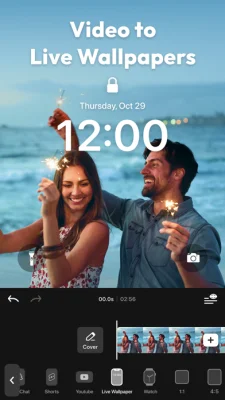
Turn moments you want to watch again into a moving iPhone Lock Screen.
Use intoLive to create Live Photos from videos and GIFs, or edit Live Photos you've already taken. Add text, stickers and filters to your pet's antics or a favorite travel scene, then save as a Live Photo or video. Choose a tool on intoLive's home screen to get started.
Create a moving Lock Screen
- In Live Wallpaper, pick a short section of a video, GIF or Live Photo to make a Live Photo for your Lock Screen.
- Make it yours with text, stickers and filters.
- Set your saved Live Photo as your Lock Screen wallpaper in iPhone Settings. On iOS 17 or later, turn on playback in wallpaper settings to see it move when you wake your iPhone.
- Motion depends on iOS support, movement in the source and device settings. Moving Lock Screens aren't supported on iOS 16.
Create and edit Live Photos
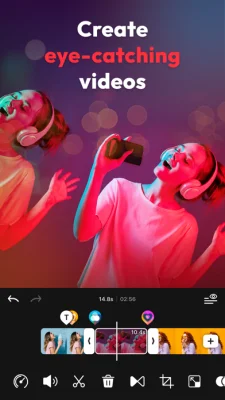
- In New Project, combine photos, videos, GIFs and Live Photos, then trim to the moments you want.
- Split or duplicate clips, adjust speed, crop, rotate and flip.
- Change the aspect ratio and background color to frame your scene.
- For Live Photos saved from New Project, choose the key photo shown as the still image.
Set the mood with music
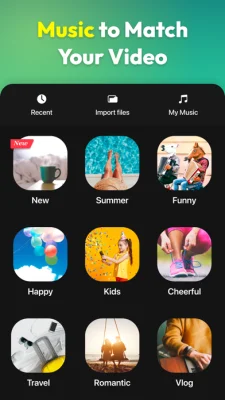
- Use the Music tool to add a soundtrack to travel videos or everyday moments.
- Use music from the app, import music files or extract audio from a video.
- Adjust music and original video volume separately, with fade-in and fade-out for music.
Add text and animated stickers
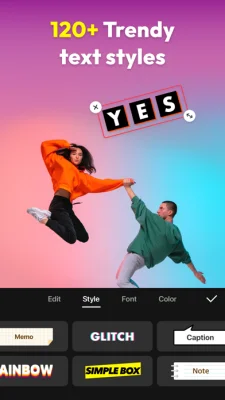
- Use Text to add a message. Change fonts, colors and styles, or import your own fonts.
- Animate text and stickers, and choose when they appear.
- Add animated GIPHY stickers to photos and videos.
Change the look with effects
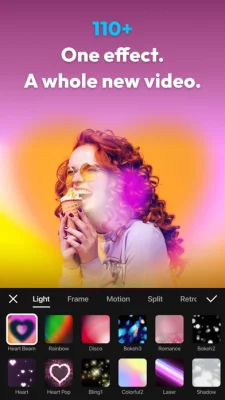
- Use the Effect tool for light and sparkle effects.
- Apply filters to change the color tone.
Decorate with frames
- In Frame, choose from a variety of designs for photos and videos.
Make memes with your own words
- In MEME, add captions above and below a photo or video to create reaction memes to share with friends.
- Change the text style and color.
Turn photos into a moving slideshow
- Use Slideshow to turn photos into a video with zoom and pan effects.
- Arrange photos, set their duration, and add music and transitions to tell the story of a trip or everyday life.
Save Live Photos and share videos
- Save your creation as a Live Photo or video, and share videos to other apps.
- Save projects to continue editing later.
Free features and intoLive Pro
Start creating and editing Live Photos with basic features for free.
intoLive Pro is a paid upgrade that includes:
- Selected music, text styles, and text and sticker animations
- Selected filters and transitions, plus selected video effects including retro and split-screen
- Selected frame designs, including film, paper, smartphone and music player
- Detailed color adjustments, including brightness, contrast, saturation, warmth and sharpness
- 4K Live Photo (excluding Live Wallpaper) and 4K video export, plus 60 fps video export
- Watermark and ad removal
- Subscription prices and billing periods are shown on the purchase screen. Payment is charged to the payment method linked to your Apple Account....
Avaliar o app
Avaliações dos usuários












Apps populares