World Clock (Hacked)
v2026.17Требуется iOS 17.0+ · Войдите, чтобы проверить совместимость вашего привязанного устройства
Что разблокировано
Последняя версия
Need Help Installing?
Ensure you have a valid signing certificate installed. If you're using AltStore, open this page in Safari and tap 'Install' to trigger the prompt.
Подробнее о World Clock (Hacked)
About World Clock
A world clock app for the people in your life. For iPhone, iPhone Duo, iPad, Apple Watch and Mac.
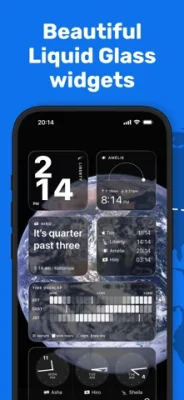
Whether your family is spread across countries or your team is split across time zones, World Time Widget keeps you thoughtfully in sync. Add clocks for the cities that matter, give each one a name that means something to you, and know at a glance whether it’s a good time to reach out.
Over one million downloads.
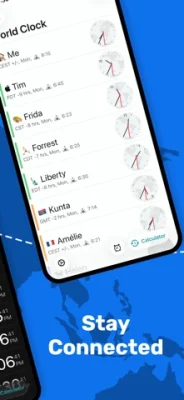
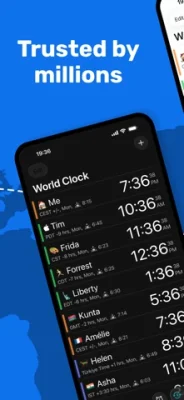
WORLD CLOCKS
See the time in any city, instantly. Add as many clocks as you need and label them the way you actually think of them: “Mum in Sydney”, “Berlin office”, “Charlie deployed.”
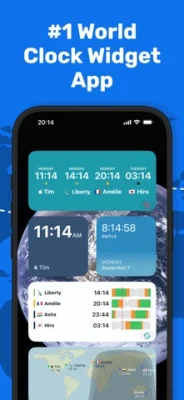
HOME SCREEN, LOCK SCREEN & STANDBY
Your most important world times are always one glance away — no need to open the app. Widgets for every Apple surface, with up to 8 time zones on a single large widget.
DAY & NIGHT STATE
Every clock shows whether it’s day or night for the person on the other end. So you know before you text.
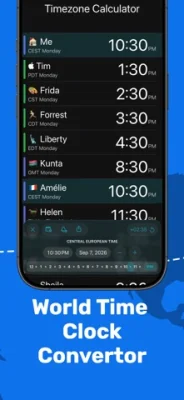
MEETING PLANNER
Need to find a time that works across time zones? Drag through the day to find the right slot, without the mental arithmetic.
APPLE WATCH
Your world clocks on your wrist. A dedicated Apple Watch app and support for multiple complications keep your times visible wherever you are.
IPHONE, IPAD & APPLE WATCH
Works beautifully across all your Apple devices, with your clocks syncing seamlessly via iCloud. No ads, no sign up. Just your clocks.
FREQUENTLY ASKED QUESTIONS
Does World Time Widget have a home screen widget?
Yes. There are widgets for every Apple surface: home screen, lock screen, StandBy mode, and Apple Watch. You can show up to 8 time zones on a single large widget, so everything you need is one glance away.
Can I use custom labels instead of city names?
Yes. You can name any clock whatever makes sense to you. “Mum in Sydney” tells you at a glance whether it’s safe to call. “Dev team in Berlin” tells you whether they’re in the office. Your clocks, your labels.
Does it work on Apple Watch?
Yes. There’s a dedicated Apple Watch app plus support for multiple complications, so your world clocks are always on your wrist.
Can I convert time zones and schedule meetings?
Yes. The built-in meeting planner lets you drag across the day to find a time that works for everyone, across as many time zones as you need. No mental arithmetic, no switching between apps.
How many cities can I add?
As many as you need. You can show up to 8 time zones at once on a large widget, and you can add more clocks to the app itself.
Does it handle daylight saving time automatically?
Yes. World Time Widget updates automatically for daylight saving changes worldwide, so your times are always accurate.
Does it work on iPad as well as iPhone?
Yes. World Time Widget works across iPhone, iPad, and Apple Watch. Your clocks sync across all your devices via iCloud.
What makes it different from Apple’s Clock app?
Apple’s Clock app is useful, but limited. World Time Widget adds a day/night indicator for every clock so you can see at a glance who’s awake, lets you use personal labels instead of city names, and puts your world clocks on your home screen, lock screen, StandBy, and Apple Watch with far more flexibility. Apple Clock also caps...
Оценить приложение
Отзывы пользователей













Популярные приложения